
EcoPaste 是一个开源桌面剪贴板管理器,采用 Rust-First 的 Tauri 架构:持久化和系统侧能力优先由 Rust 承担,React 前端专注于界面展示与交互。
EcoPaste 的目标是更快、更轻、更易维护,并提供本地存储、SQLite 搜索、原生快捷键、托盘、备份,以及聚焦 macOS 与 Windows 的跨平台体验。
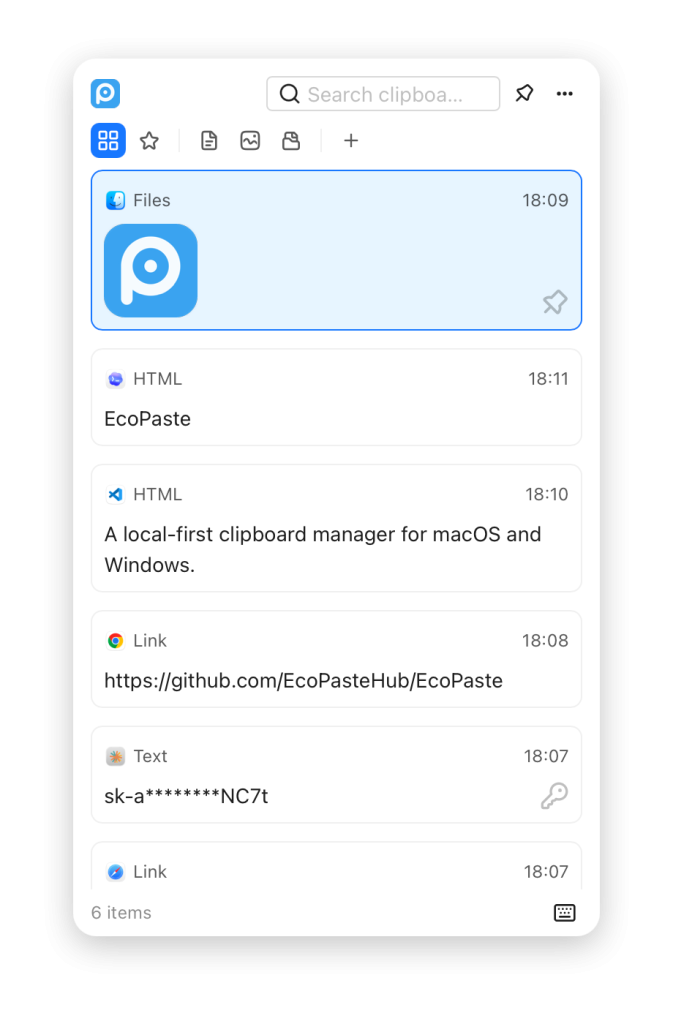
功能
- 采集纯文本、HTML、RTF、图片、文件和文件夹等剪贴板内容。
- 使用 SQLite FTS5 搜索剪贴板正文与备注。
- 按来源应用和内容类型过滤历史记录。
- 识别并跳过高置信敏感内容,例如私钥、服务 Token、AWS Key 和 JWT。
- 在独立预览窗口中查看文本、图片和文件记录。
- 支持粘贴、复制、复制为纯文本、定位文件、打开链接、添加备注、置顶、收藏、删除,以及将记录拖出到其它应用。
- 通过收藏、置顶、备注、自定义分组和可配置快捷动作组织历史记录。
- 可调整采集顺序、大小限制、保留策略、展示密度、列表排序和窗口行为。
- 支持导出和导入
.ecopastebak备份,包括加密备份包。 - 剪贴板数据、资源缓存和设置均保存在本机。
EcoPaste is an open-source desktop clipboard manager built with a Rust-first Tauri architecture: durable behavior lives in Rust, while the React frontend focuses on rendering and interaction.
The app is designed to be fast, lightweight, and maintainable, with local storage, SQLite search, native shortcuts, tray integration, backup support, and a focused cross-platform surface for macOS and Windows.
Features
- Capture clipboard history for plain text, HTML, RTF, images, files, and folders.
- Search clipboard content and notes with SQLite FTS5.
- Filter history by source application and content type.
- Protect sensitive content by skipping high-confidence secrets such as private keys, service tokens, AWS keys, and JWTs.
- Preview text, images, and files in a dedicated preview window.
- Paste, copy, copy as plain text, reveal files, open links, add notes, pin, favorite, delete, and drag items out to other apps.
- Organize history with favorites, pinned items, notes, custom groups, and configurable item actions.
- Tune capture order, size limits, retention, display density, list sorting, and window behavior.
- Export and import
.ecopastebakbackups, including encrypted backup containers. - Keep clipboard data, resources, and settings local to your machine.
官方网站:https://www.ecopaste.cn/
运行平台:Windows、MacOS
界面语言:English、中文
Download:Releases · EcoPasteHub/EcoPaste · GitHub
发表回复